

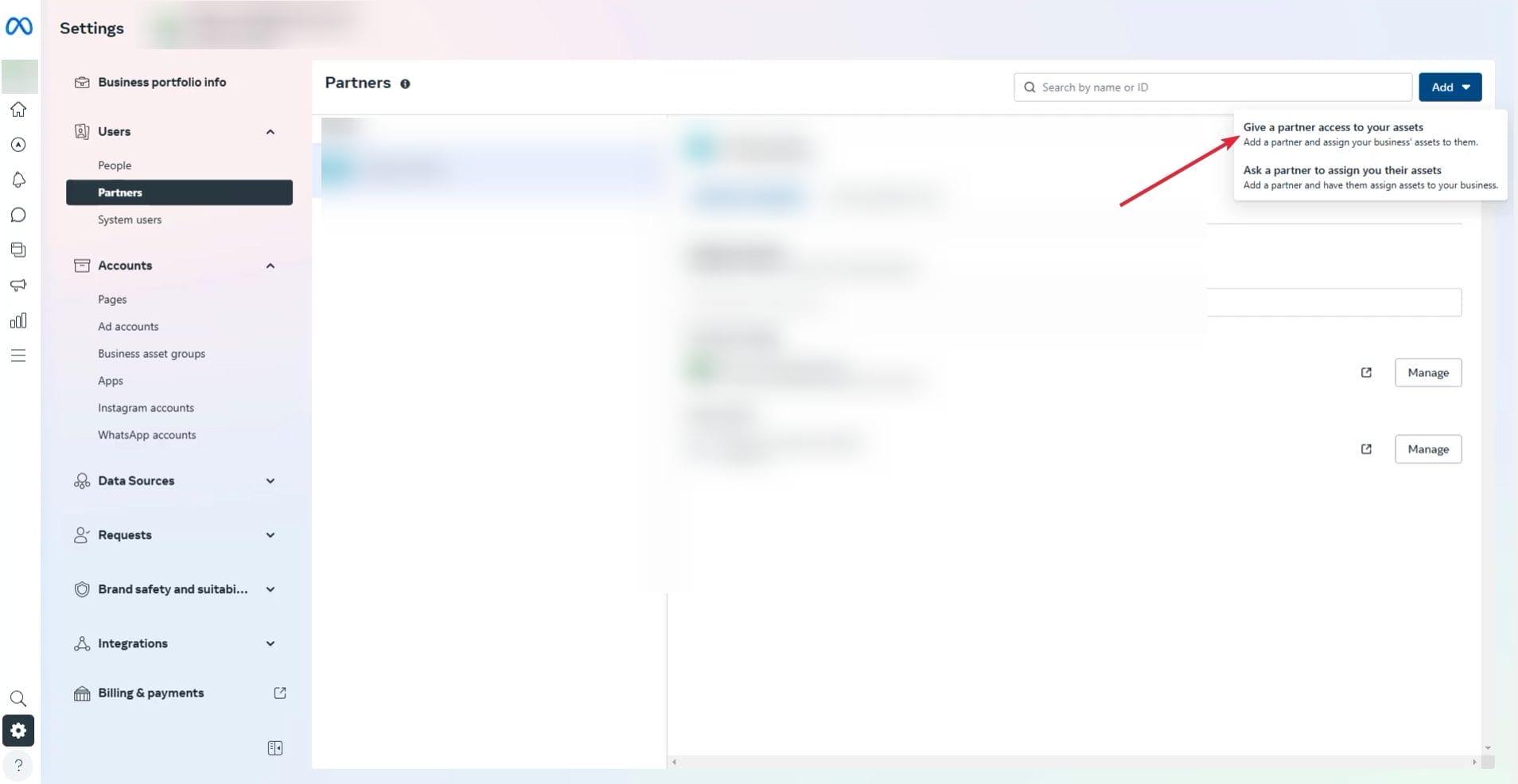
- Go to https://business.facebook.com/settings/.
- If you have multiple business accounts select the business account you want.
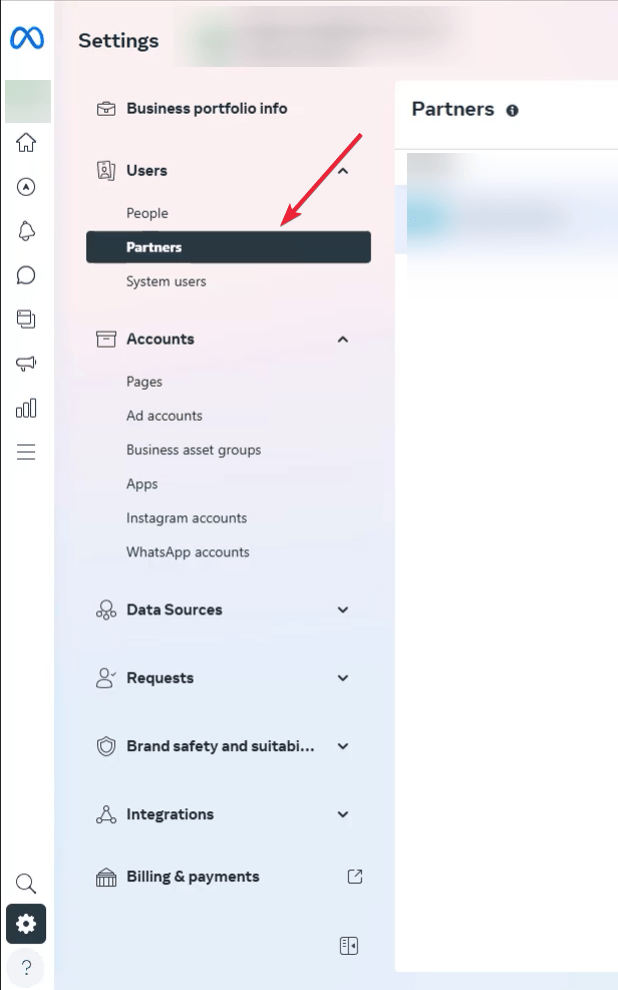
- Then on the sidebar, look under “Users” and click “Partners”
- Click “Add” and then select “Give a partner access to your assets”.
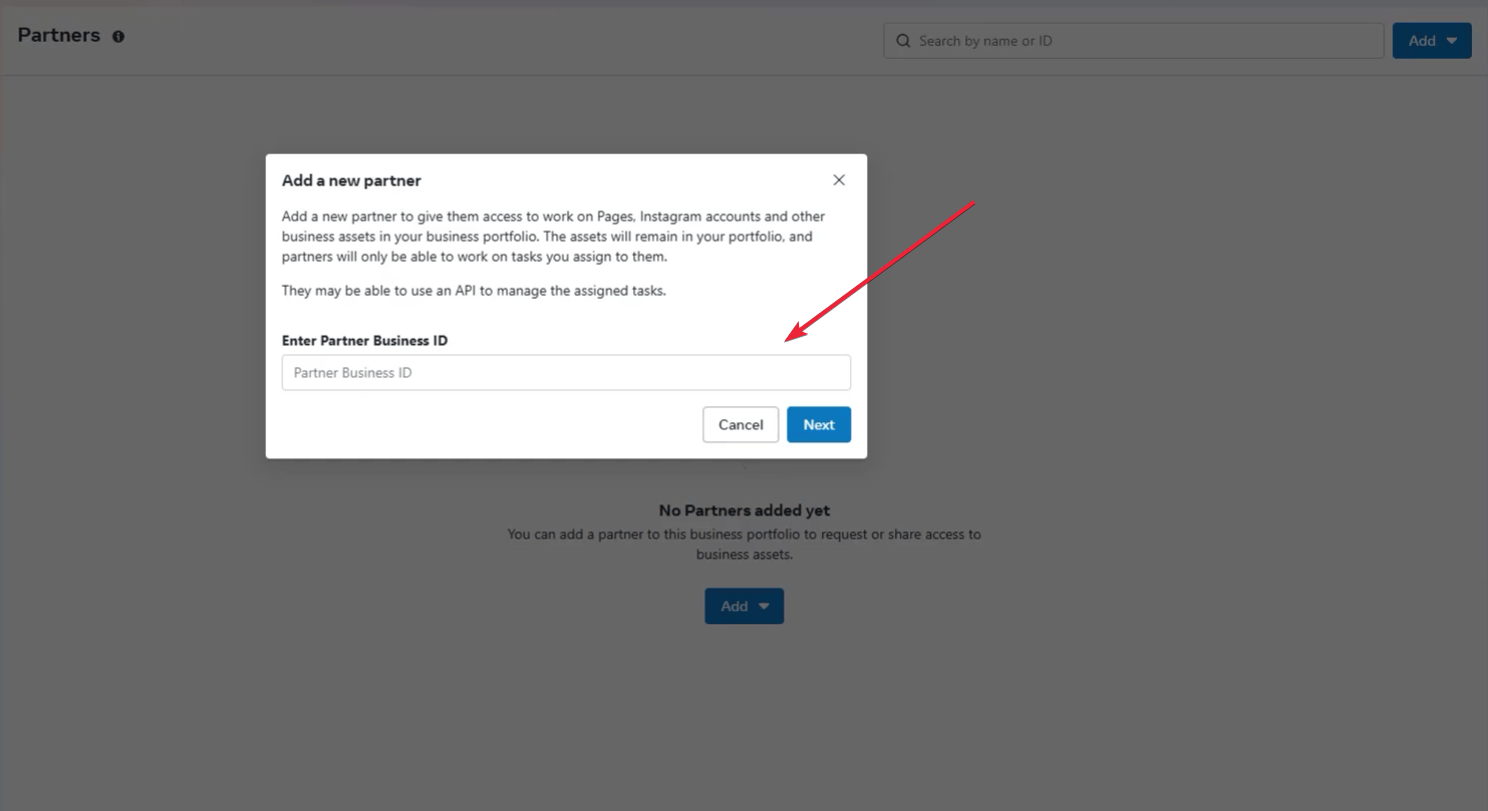
- Enter the agency’s Business ID and click “Next”. In our case our ID is: 546180942401380
- Select the assets (like ad accounts, pages, and pixels) you want to share and choose the level of access.

- For read only access, choose “view performance”. For full access choose “full control manage ad account”. If you are a client of ours we’ll need access to all the assets. If it’s just an audit, just select “view performance”.
- Check all the boxes that apply for “How you will work with agency?”
- Click “Next” and then click “I accept” and then “done”.



How To Use Mail Merge Thunderbird Add On For Cold Emailing
Wondering how to create and send hundreds of personalized emails fast every day and not


