

If you are a business running PMAX, it starts out great. PMAX starts out as search and then it gets conversions after a week or so. It’s very effective for 2 weeks, you scale the budget up, and all of a sudden leads stop coming in.
It’s likely because without you knowing and without your permission it started generating youtube video ads for you with ai and started showing those ads on youtube.
They typically convert at a lower rate or increase in lower quality leads.
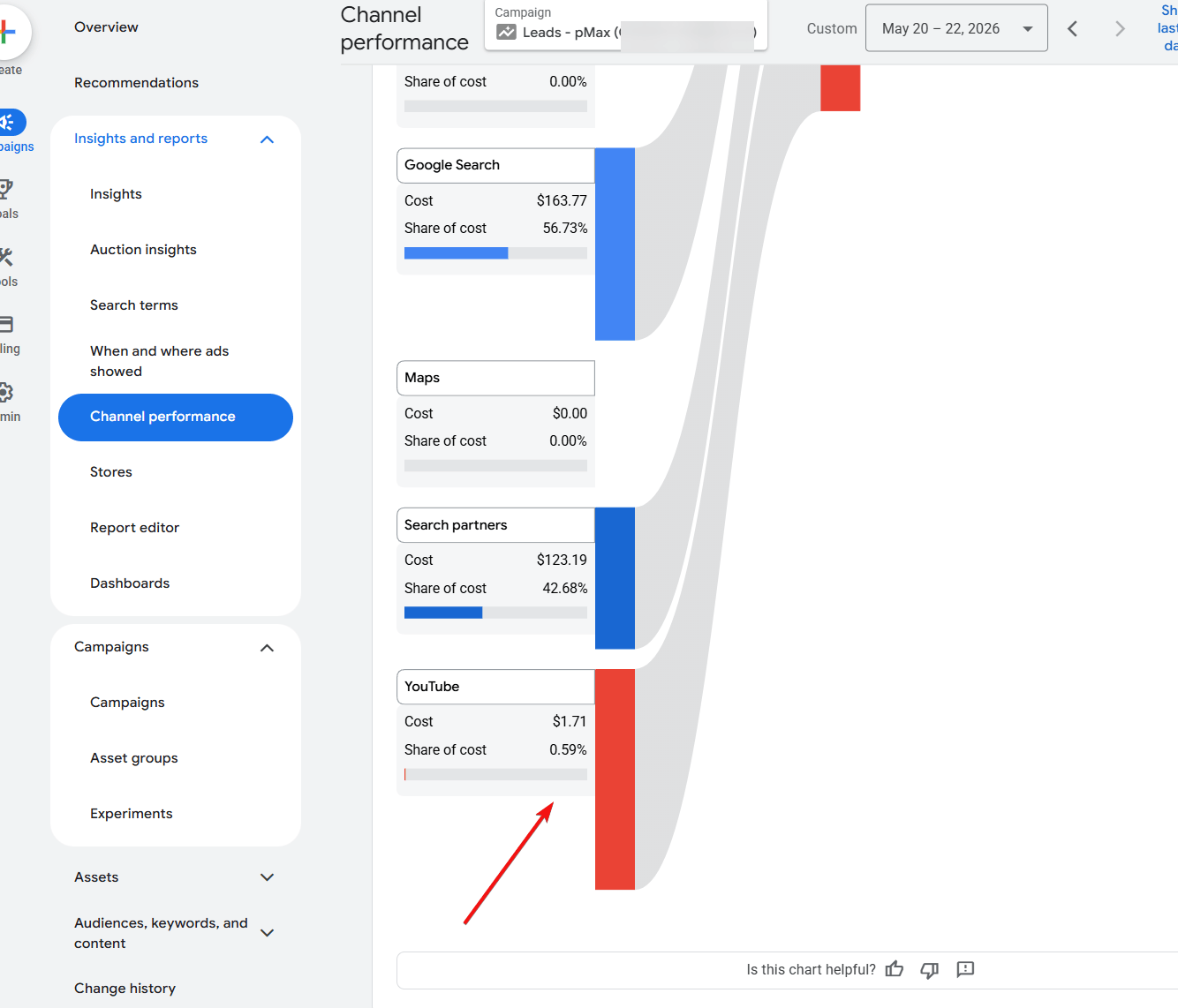
You can see it for yourself under “Campaigns” > “Insight Reports” > “Channel Performance” for your campaign.
Here is an example of a healthcare clinic that was performing well and then there leads and placements suddenly went to Youtube and stopped being effective:
This was what the share of cost was at the beginnings of the campaign (first 3 weeks).

Here is what the share of cost was suddenly:

As you can see from the image, the share of cost went up to 53.09%! Previously it was under 10%.
We were able to pull the youtube share of cost back down to 1% and lower. Effectively stopping placements on youtube as much as possible. And here is how:
So Google won’t let you delete these AI generated videos or make it so PMAX never shows on youtube.
So here is the workaround and the best way to limit your PMAX from spending on Youtube:
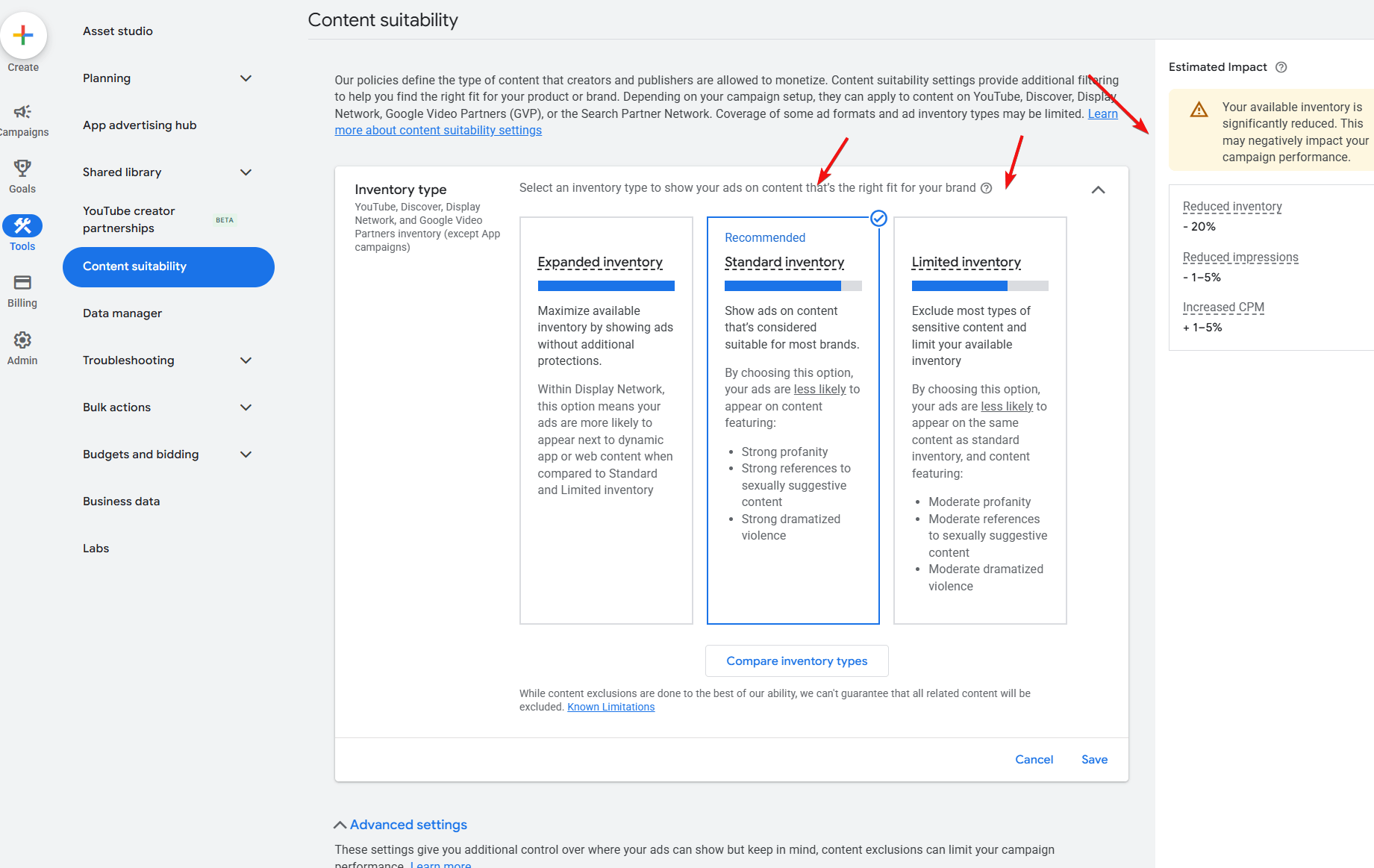
Go to Tools > Content Suitability:
Limit your inventory to “Standard Inventory” or “Limited Inventory“. And you’ll see on the right side inventory getting reduced. You basically want to reduce inventory as much as possible, without reducing it too much that Google’s PMAX stops being effective.
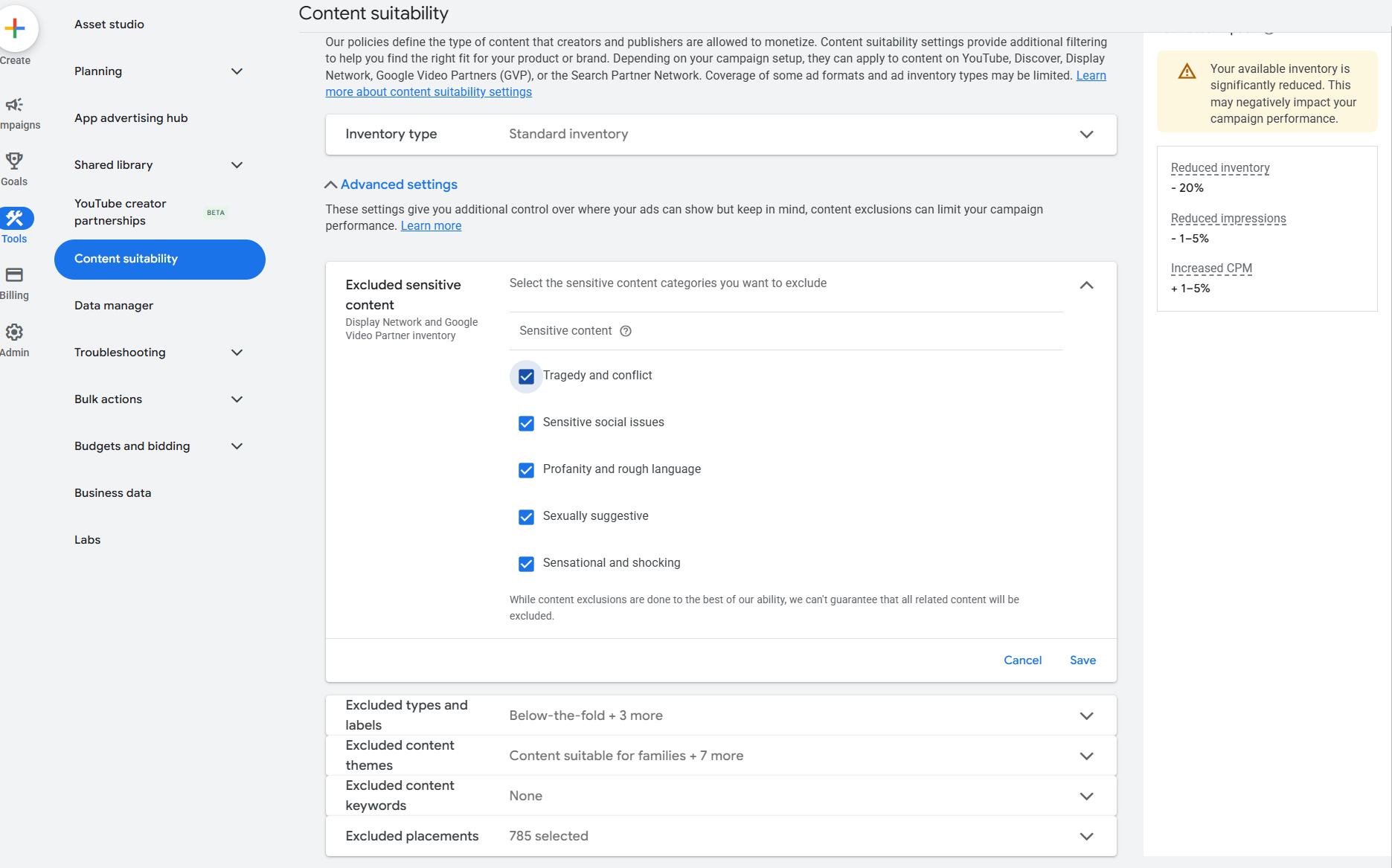
Also Excluded Sensitive Content
Select all the ones that you want to exclude. If your service / product isn’t news related, or in these categories, you would likely benefit from excluding these as well. Some products and service do sell well and target these areas (ie: Gold, Silver, Stocks ETFs would not want to exclude these).
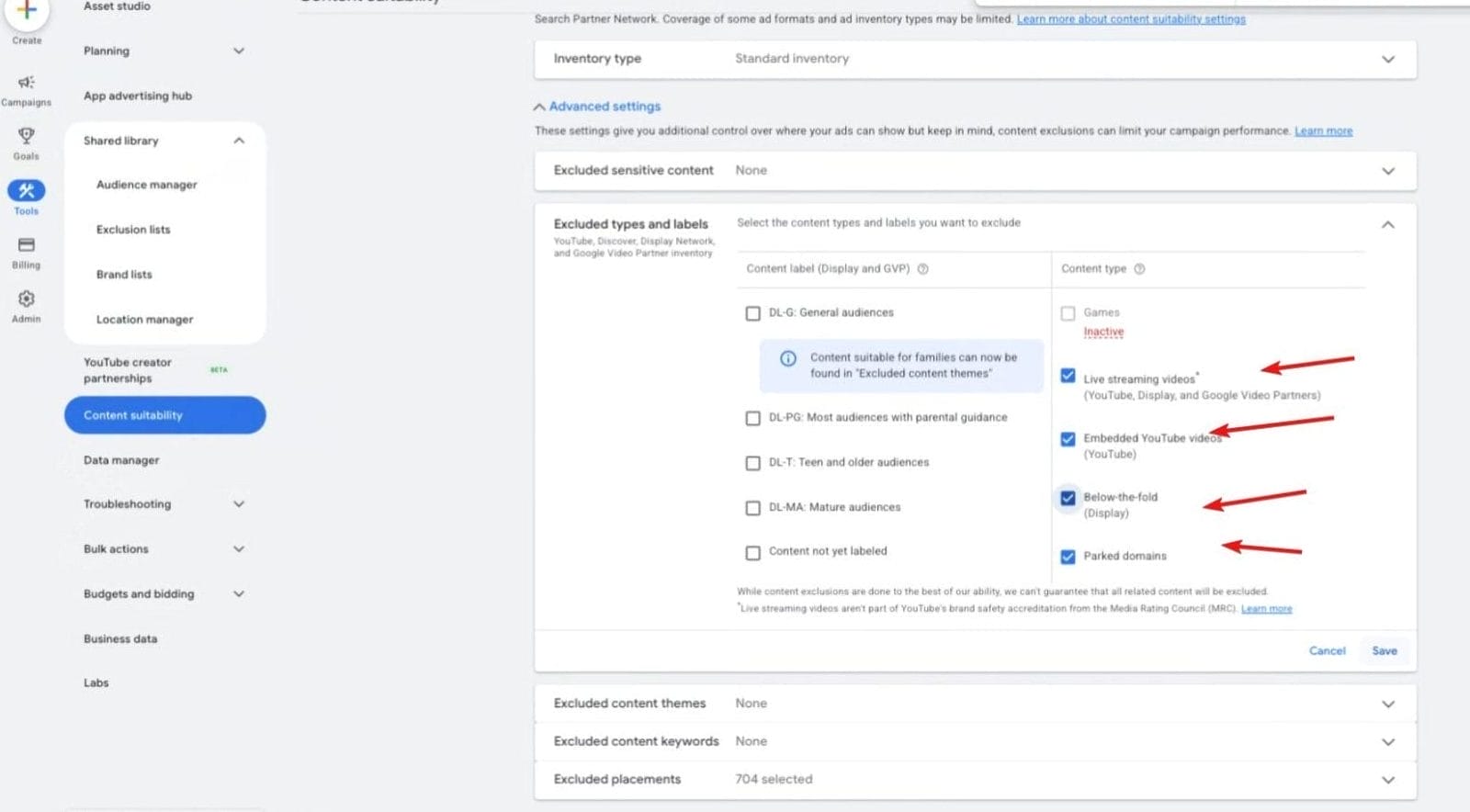
Under Excluded Types and Labels
- Exclude Live Streaming videos
- Embedded Videos
- Below The Fold
- Parked Domains
Parked Domains and Below The Fold are especially full of fraudulent clicks from bots so those you want to exclude. They are also hosted on other people’s sites instead of on a google owned platform like YouTube, so harder for google to detect the fraud clicks.
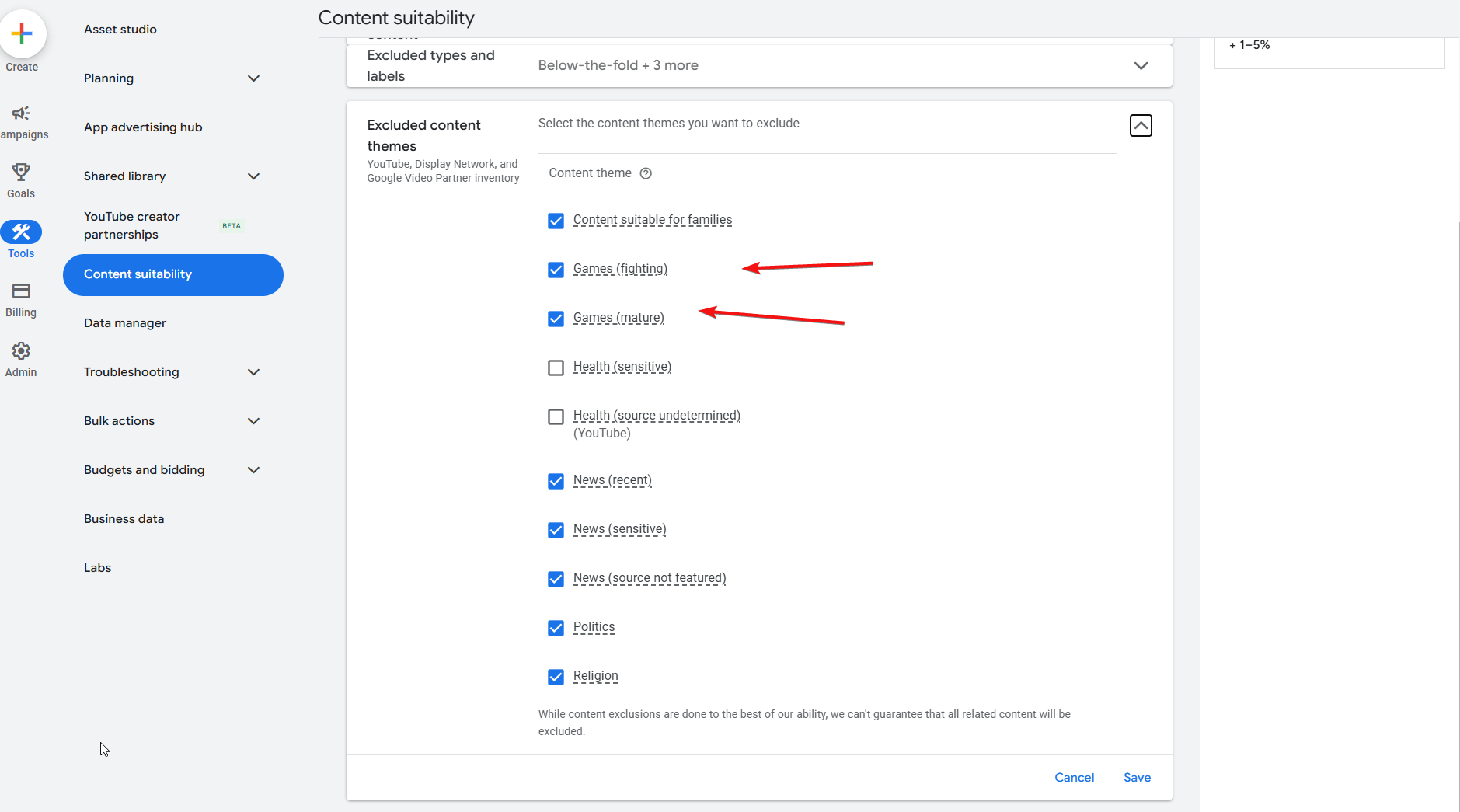
Excluded Content Themes
- Unless you are a gaming product, checking “games (fighting)” and “games (mature)” is a must. Games will often tell people to watch an entire ad to get free in-game coins, and things like that. You basically get bad low intent views from people who aren’t in your demographic.
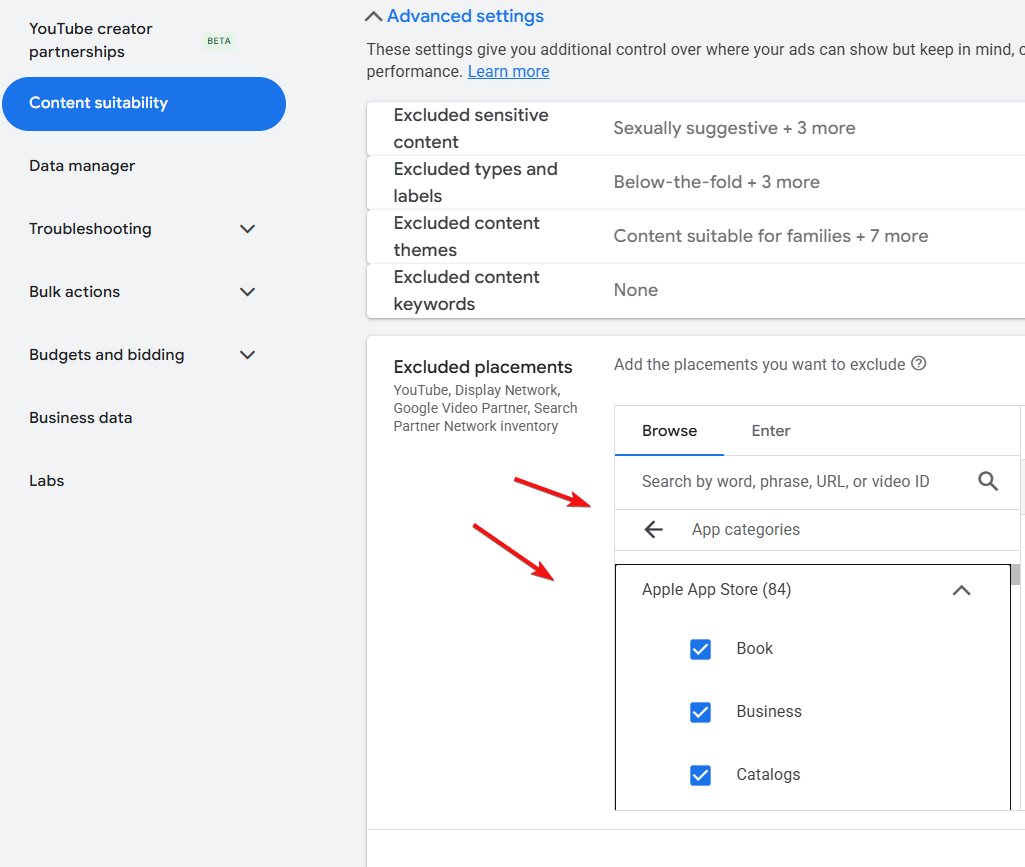
Excluded Placements
Like gaming, it’s the same case with most mobile apps where you will get bad clicks, which is what you want to avoid:
Check box as much unrelated app categories as possible, especially the gaming ones.
If you want an expert to take a look at your PMAX campaign to see what is wrong with it, book a call with us:
Get A Free Campaign Audit


