

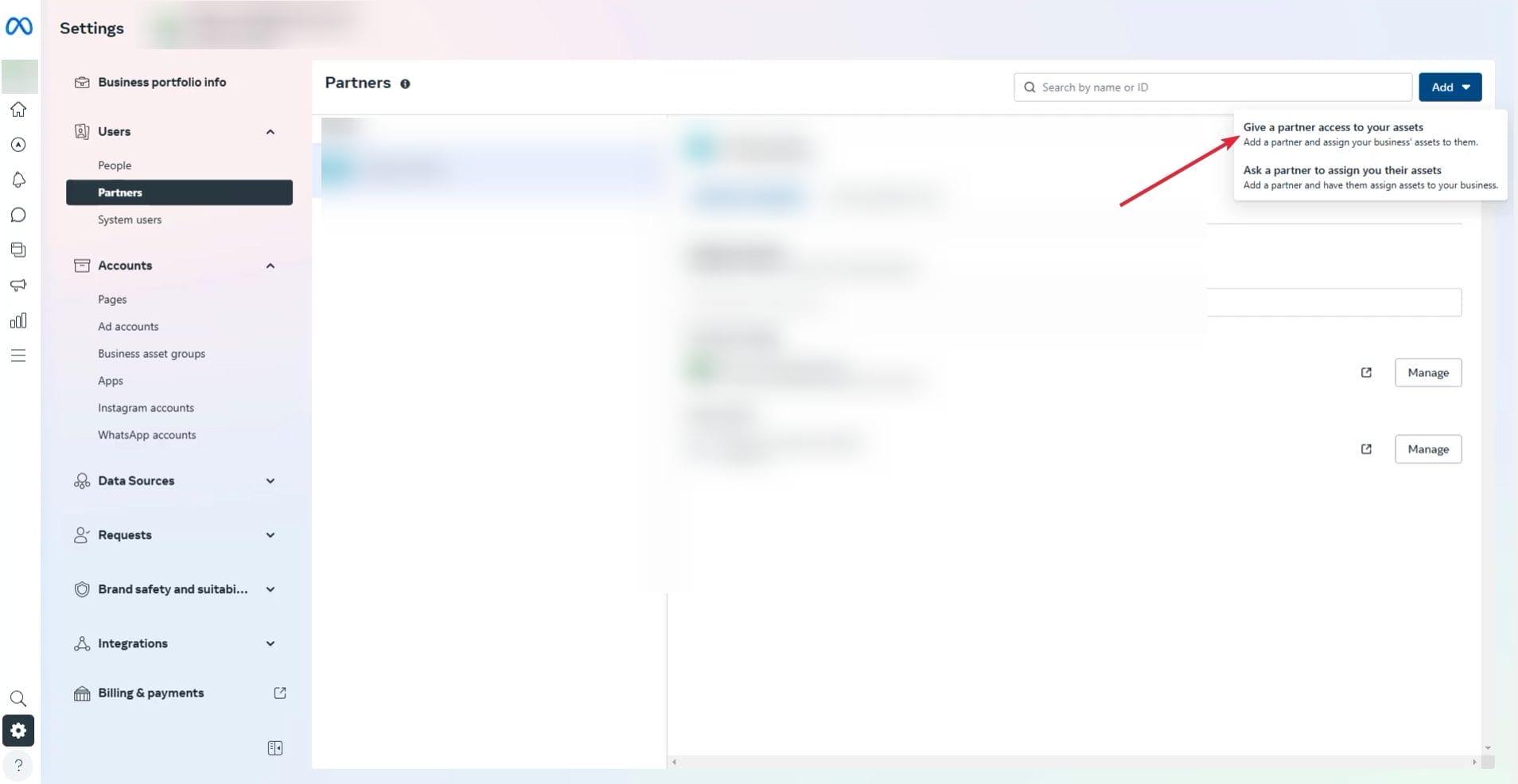
- Go to https://business.facebook.com/settings/.
- If you have multiple business accounts select the business account you want.
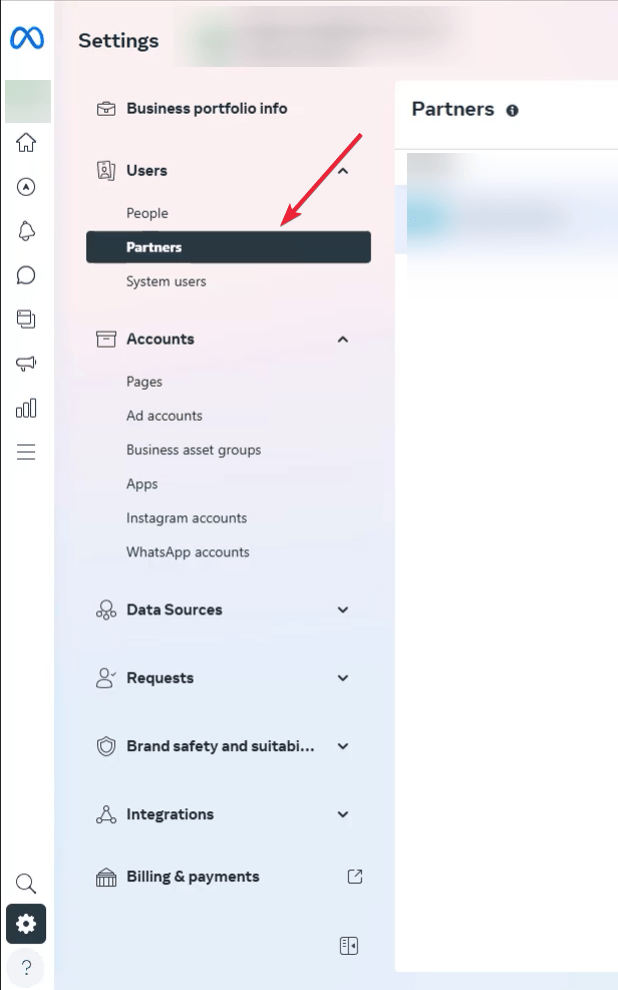
- Then on the sidebar, look under “Users” and click “Partners”
- Click “Add” and then select “Give a partner access to your assets”.
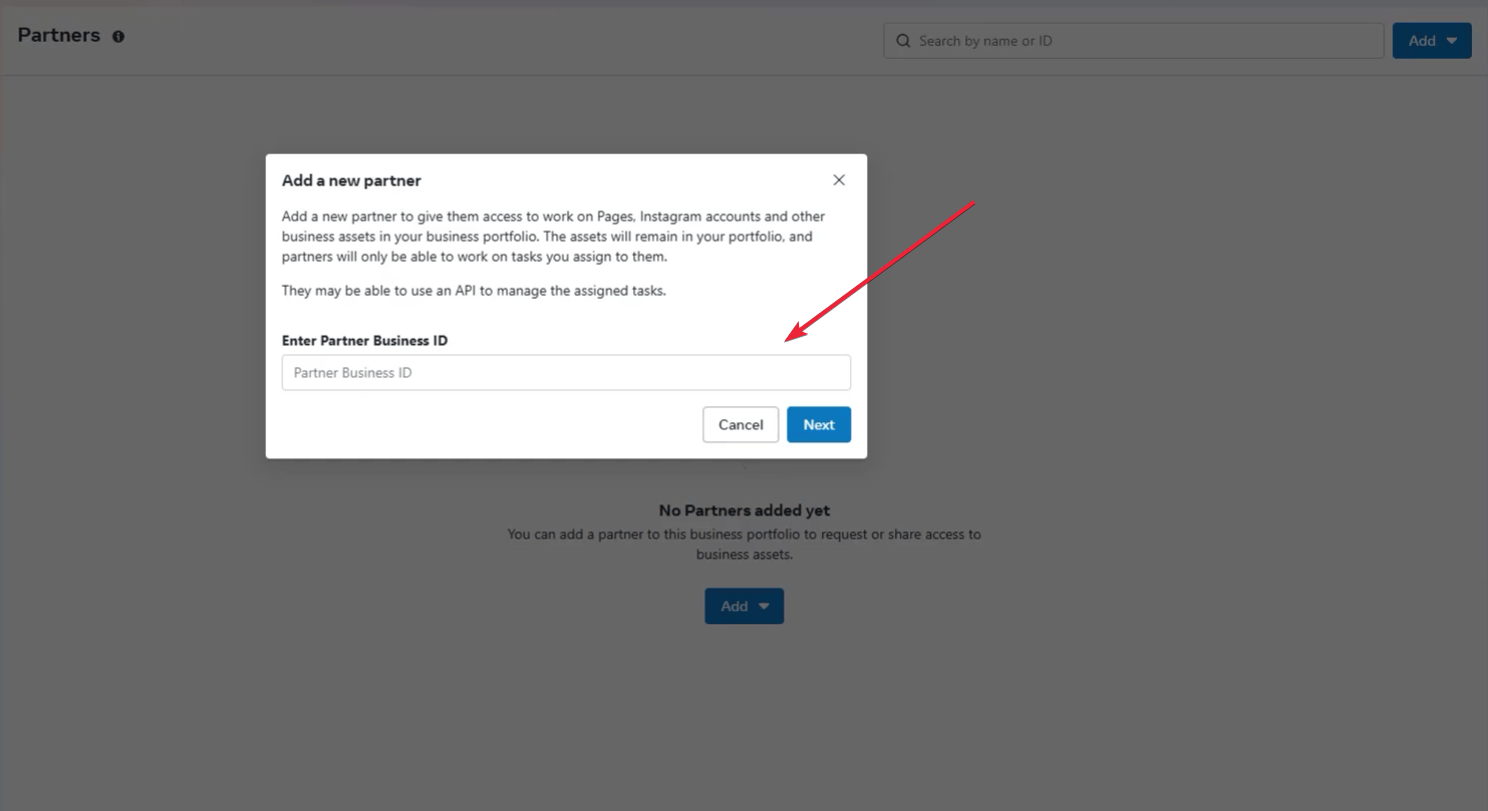
- Enter the agency’s Business ID and click “Next”. In our case our ID is: 546180942401380
- Select the assets (like ad accounts, pages, and pixels) you want to share and choose the level of access.

- For read only access, choose “view performance”. For full access choose “full control manage ad account”. If you are a client of ours we’ll need access to all the assets. If it’s just an audit, just select “view performance”.
- Check all the boxes that apply for “How you will work with agency?”
- Click “Next” and then click “I accept” and then “done”.



Starting a Dental Practice Checklist – 45 Steps to Success
Okay, so you are reading this Starting a Dental Practice Checklist because you have decided


