


How To Give Access to Google Business Profile
Step 1: Go to Google My Business and sign in to your account.

Step 2: Click “See your profile”

Step 3: Click on the “three dots menu”
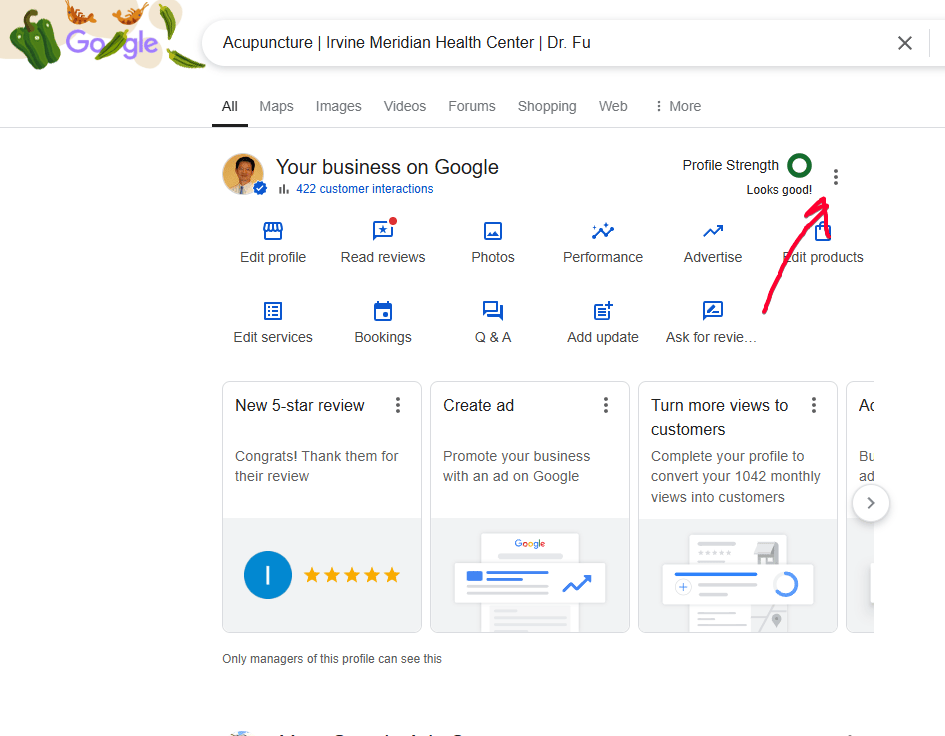
Step 4: Click “Business Profile Settings”

Step 5: Click “People and access”

Step 6: Click “Add”
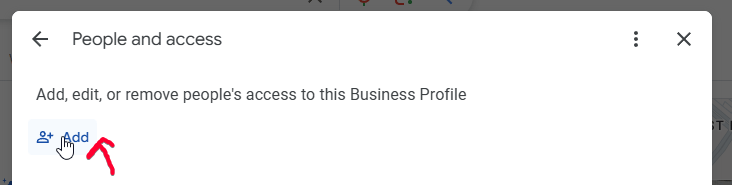
Step 7: Enter the email address of the person you want to help manage your Google My Business account. For example, you want to give access to YoYoFuMedia, enter access@yoyofumedia.com

Step 8 And then click invite. You’ll see a “pending” after you click invite.

That person whom you gave access to your Google My Business account will receive an email that looks like this:
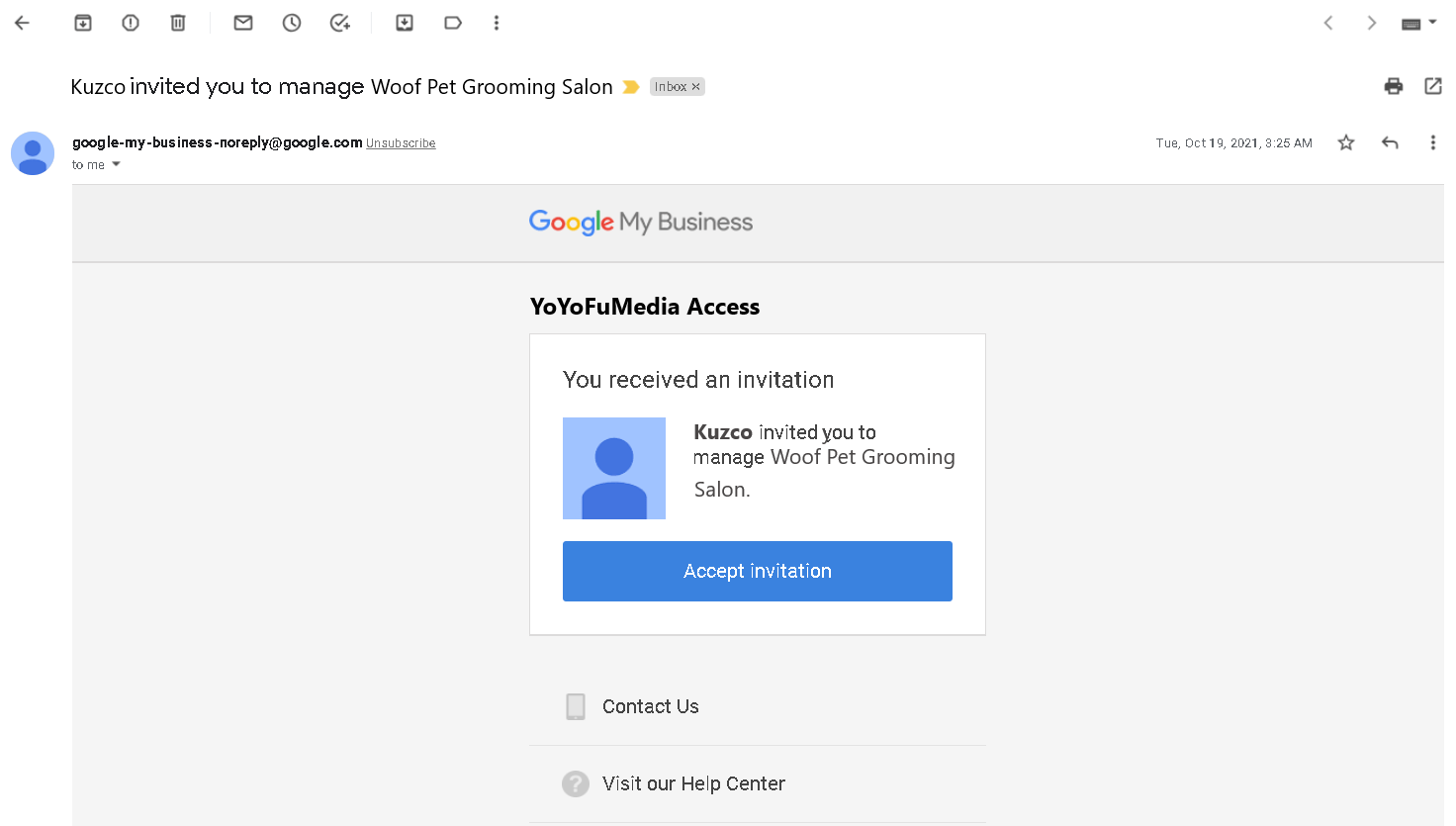
Once they’ve accepted your invite to manage your Google My Business Account, you’ll be notified through an email.


